
Pentio UnifAI
Know where your ServiceNow platform stands, and what to fix first.
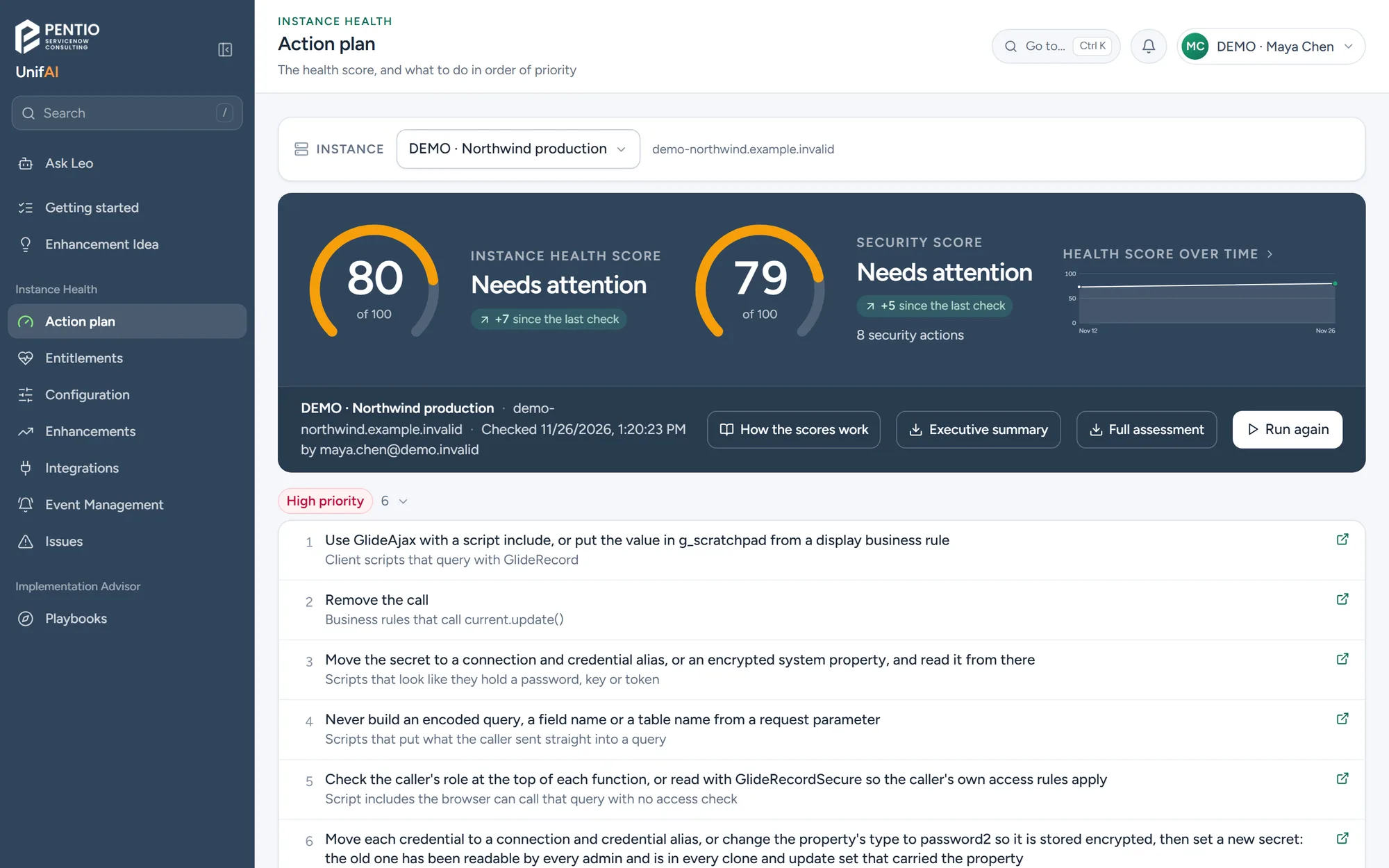
Pentio UnifAI gives you a clear view of the health and security of your ServiceNow platform in under a minute, and a 30, 60 and 90 day plan your team can act on.
 (opens the full-size image)
The challenge
Your platform runs critical work. Do you know its true state?
Years of customization, integrations and releases build up risk that is hard to see: security exposure, technical debt, and licences you pay for but do not fully use.
Leaders hear anecdotes. Teams work from long lists. Neither gets a clear answer to the questions that matter: how healthy is the platform, how exposed are we, and where should the next dollar go?
The answer
From a clear picture to a funded plan, then to results.
- 01
Know
In under a minute, see two scores your leadership can track, platform health and security, and how they move from one check to the next. The check is read-only: nothing on your platform is changed.
- 02
Plan
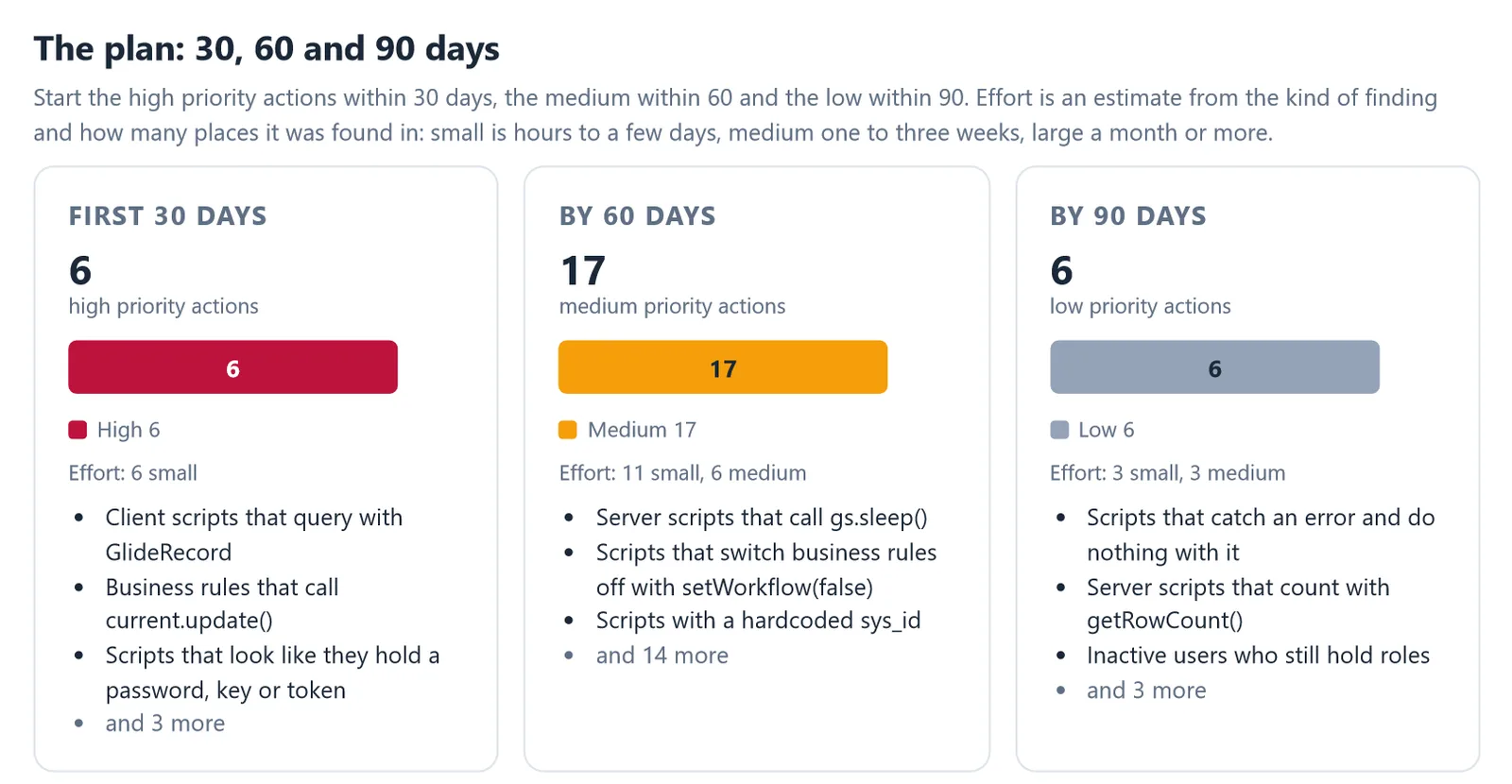
Every finding becomes one prioritised list and a 30, 60 and 90 day plan, with a short executive summary for leadership and a full assessment for your team.
- 03
Deliver
Leo, the AI assistant inside UnifAI, helps your team do the work faster. It already knows ServiceNow, and it only builds what a person has approved.
For leadership
Decisions backed by facts, not anecdotes.
- for a full health and security check
- < 1 min
- scores leadership can track over time
- 2
- day plan, ready to sign off
- 30 · 60 · 90
- checks across code, configuration, security and licences
- 100+
A clear picture in minutes
A fact-based view of your platform’s health and security, without weeks of discovery.
Risk you can see and reduce
Security exposure is brought to the surface and ranked by what matters most, so it can be fixed first.
A plan you can fund
See what each phase of the work is worth: how the scores improve once the priority items are closed.
More value from your licences
See what you subscribe to, what is used, and where each process can mature.
Progress you can report
Run the check again at any time and show the board how the scores have moved.
Faster delivery, under control
Your team moves faster with Leo, and nothing reaches your platform without a person’s approval.
 (opens the full-size image)
The plan
A summary your leadership will read.
The executive summary fits on two to three pages: both scores and their trend, the most pressing issues, what is in good order, what the work is worth, and the 30, 60 and 90 day plan. Your team gets the full assessment behind it.
Request a sample assessmentLeo
An AI assistant that already knows ServiceNow, and your platform.
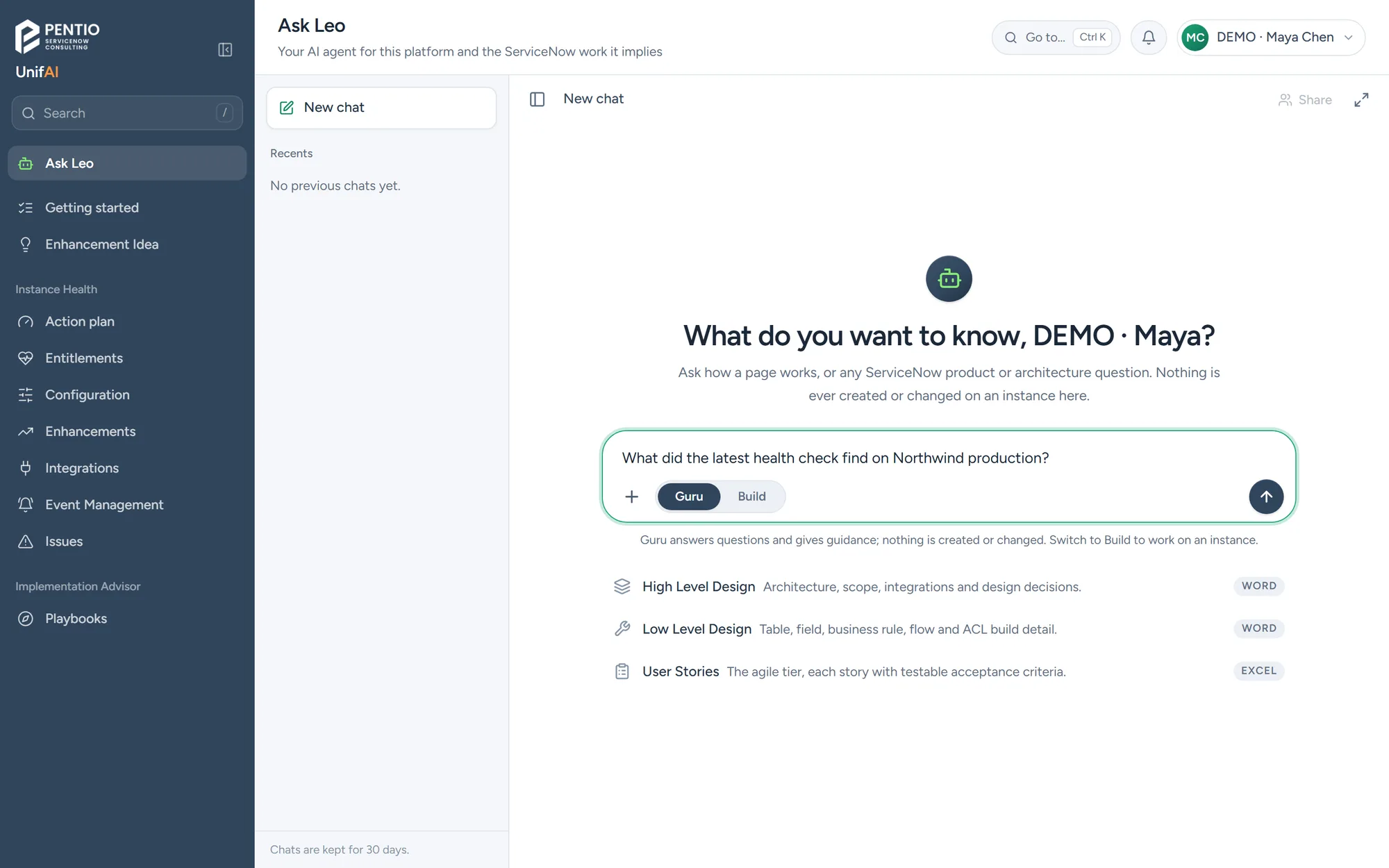
Leo answers your team’s ServiceNow questions, drafts the design documents and user stories, and turns an approved requirement into working configuration. Your team stays in charge: Leo builds only what a person has approved.
 (opens the full-size image)
Built for control
Safe to run on the platform your business depends on.
Read-only check
The health and security check changes nothing on your platform.
Your own environment
Each client has its own dedicated UnifAI environment.
People approve
Nothing is built without a person’s approval.
Your sign-in
Your team signs in with Microsoft, and access follows your groups.
Questions
- Does the check change anything on our platform?
- No. It only reads, and nothing on your platform is changed.
- How long does it take?
- Usually under a minute.
- What do we receive?
- Two scores, a prioritised action list, an executive summary with a 30, 60 and 90 day plan, and a full assessment for your team.
- Who is it for?
- Leaders who own a ServiceNow platform, and the teams who run and build on it.
See UnifAI for yourself.
Ask for a free health assessment of your own platform, a sample assessment, or both. Each request is reviewed by the Pentio team, and we reply by email.
- Use your company email address
- A request does not guarantee access: the trial and the sample are granted after review
- The sample is for your organization’s internal evaluation only
ServiceNow is a trademark of ServiceNow, Inc. Pentio UnifAI is a Pentio product and is not endorsed by ServiceNow.
Talk to a ServiceNow expert
A senior practitioner reads every message and replies within one business day.
- info@pentio.ca
- Phone
- +1 (416) 938-4483