
Products
Pentio UnifAI checks each ServiceNow release before it ships, and Ask Leo turns a requirement into designs, stories and a tested build.
Pentio UnifAI
Zero-touch release management.
Pentio UnifAI checks each release before it ships: what it changes, what it would overwrite and which update sets carry risk. AI does the review across your instances, and your team keeps the visibility and the final say on what goes to production.
Update Set Health 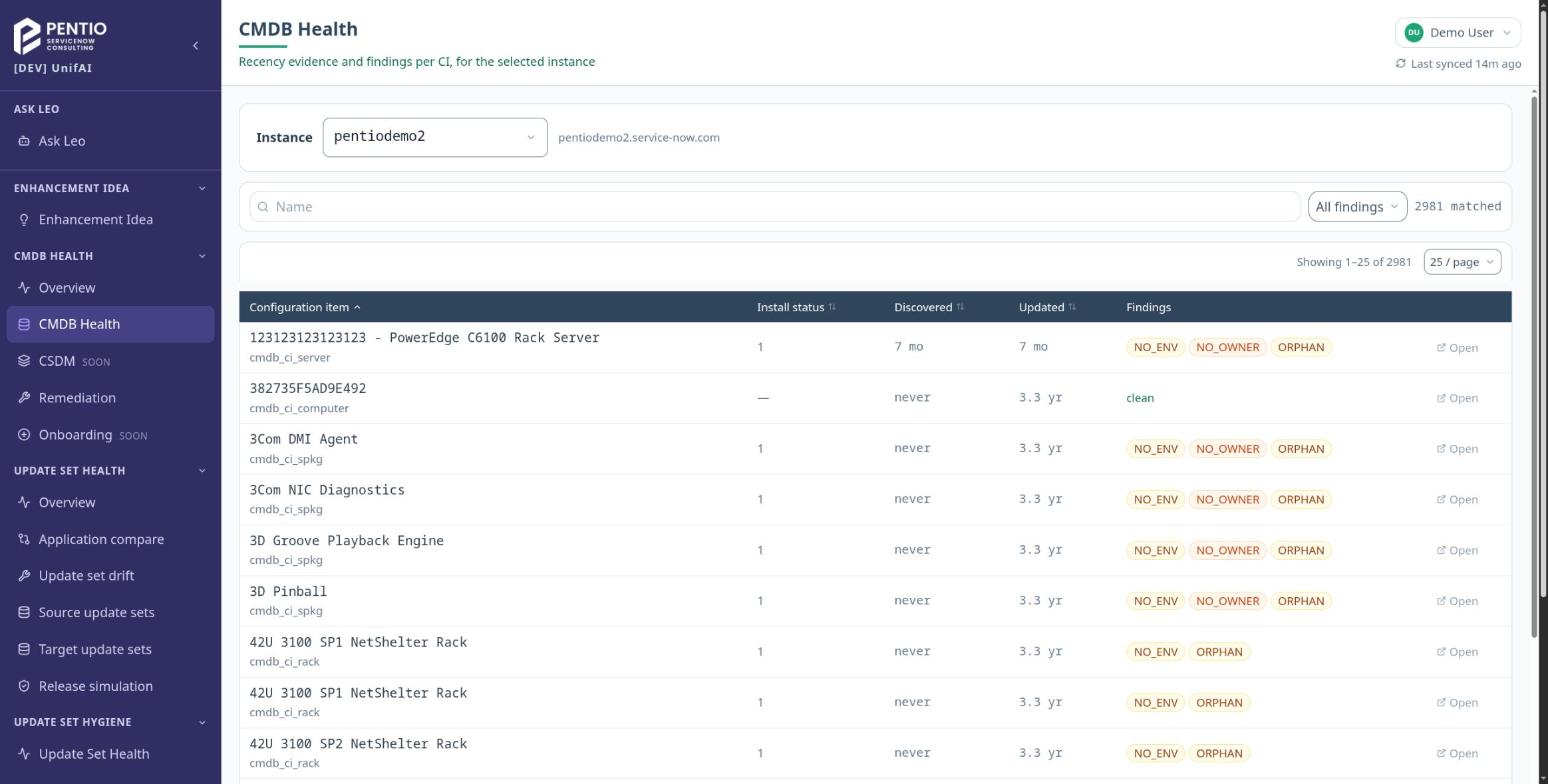
CMDB Health
Release simulation
UnifAI simulates a promotion in read-only mode and shows what the release would create or overwrite on the target instance.
Update set drift and application compare
Compare update sets and applications across your instances to see where they differ.
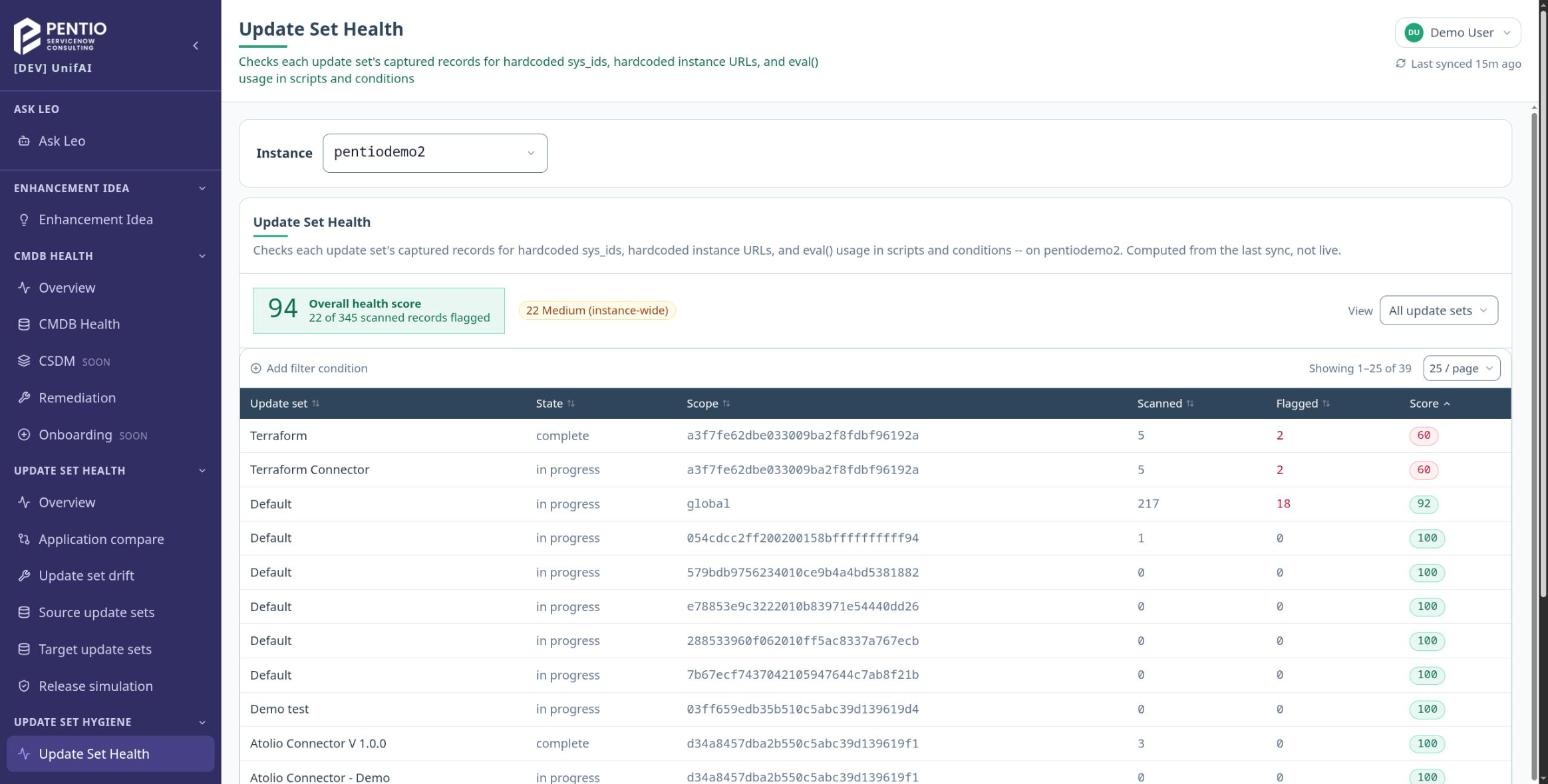
Update set health and scope hygiene
UnifAI checks each update set for risky code and scope problems before it ships.
CMDB health and remediation
UnifAI lists the findings for each CI, such as no environment, no owner or orphan CIs, and helps the team fix them.
UnifAI runs as a web portal and connects to your ServiceNow instances through OAuth. Ask us for a demo.
Ask Leo From a requirement to designs, stories and a tested build.
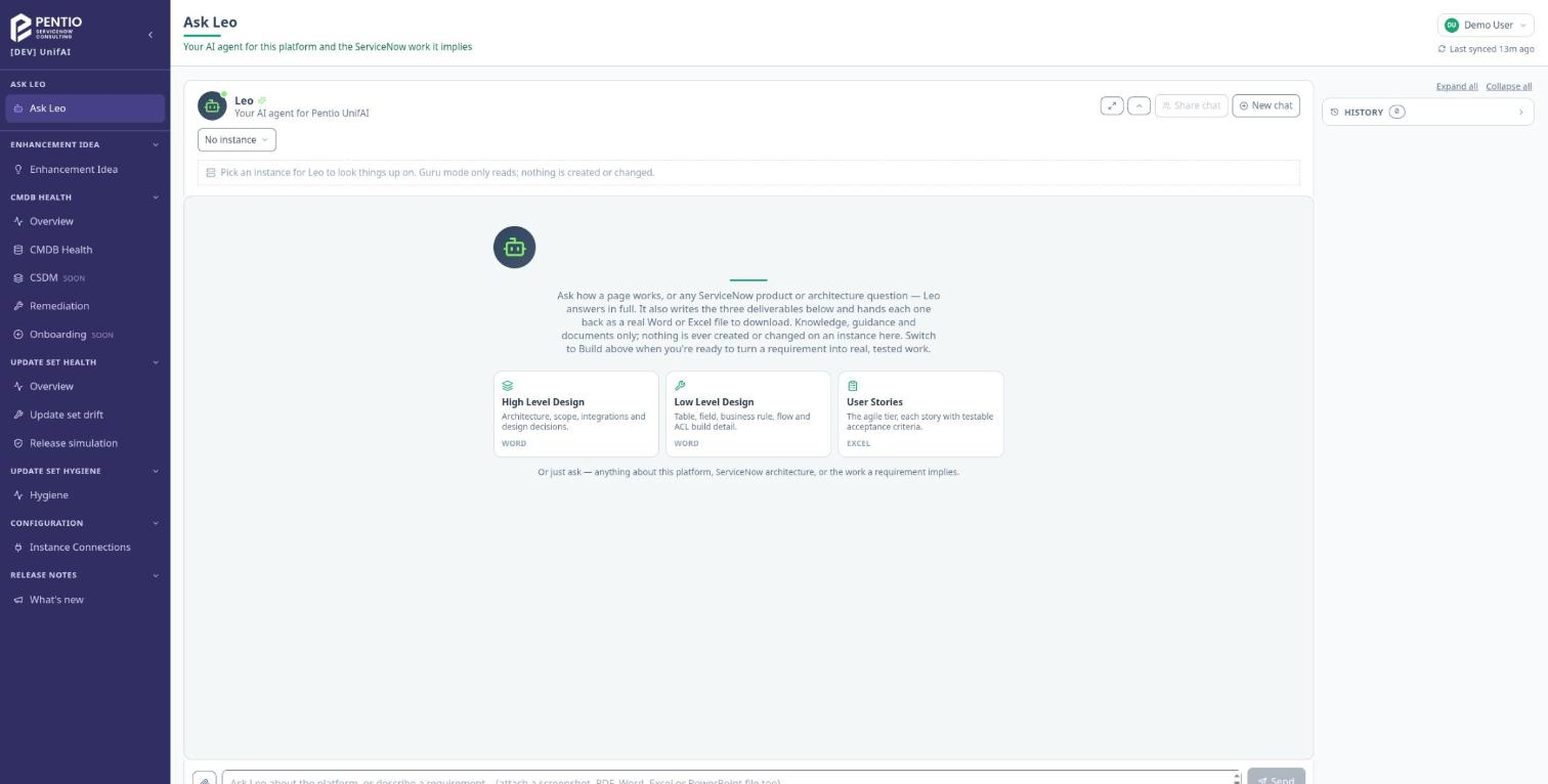
Leo is the AI agent in Pentio UnifAI. In Guru mode, Leo answers ServiceNow product and architecture questions and drafts the project documents. In Build mode, Leo turns a requirement into tested work on a development instance you designate, never in production.
High and low level design
Architecture, scope and integrations, down to the tables, fields, business rules, flows and ACLs. Delivered as Word.
User stories
Stories with testable acceptance criteria, delivered as Excel.
Development and testing
In Build mode, Leo builds the requirement as tested work on a development instance you designate, never in production.
Talk to a ServiceNow expert
A senior practitioner reads every message and replies within one business day.
- info@pentio.ca
- Phone
- +1 (416) 938-4483